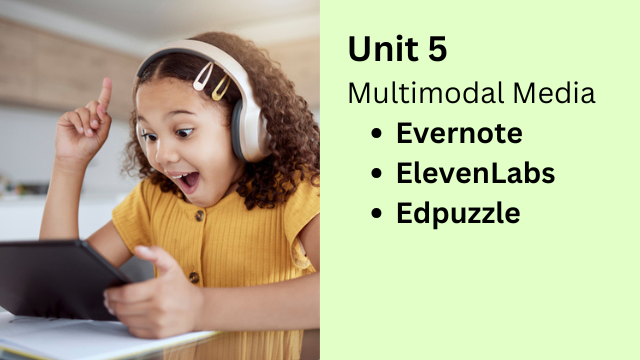
Unit 5: Multimodal Rules
Add Audio to Text, and Text to Audio/Video
Why This Unit Matters
This unit focuses on one simple idea: strong lessons are often multimodal.
Multimodal content means students can learn through more than one format, such as text, audio, and video. Teachers can either add multimedia to text or add text support to multimedia.
When content is multimodal, students have more support, better comprehension, and more ways to review the material.
A Light, Catch-Up Unit
Unit 5 is intentionally a light unit. It is designed as a catch-up lesson in the course.
Teachers mainly need to watch the tutorials, explore the tools, and build product awareness.
You will also receive preset lessons that you can immediately use in your classes, so you can kick the tires and see how effective these tools can be.
The Three Tools in This Unit
- Edpuzzle (add interactivity to video)
- ElevenLabs (create high-quality voiceovers from text)
- Evernote (publish text with built-in audio on the page)
Tool 1: Edpuzzle (Interactive Video)
Teachers will learn how to add interactivity to a YouTube video using Edpuzzle.
- Import a video from YouTube (or use your own video)
- Add quiz questions inside the video
- Pause the video automatically when questions appear
- Resume the video after students answer
- Rewind and review key sections when needed
Teachers will also learn how to create a class and monitor student progress.
Tool 2: ElevenLabs (Voiceovers for Any Text)
ElevenLabs is a practical solution for teachers who want audio, but cannot easily record it.
Teachers will learn how to create high-quality AI voiceovers for their text in seconds. All you need is a script. You can write it yourself, or use AI to help you draft it.
This is especially useful when:
- You are not confident recording your own voice
- You do not have good recording equipment
- You have background noise at home or at school
- You want to create audio when you cannot record
The goal is simple: add engaging audio to any text quickly and reliably.
Tool 3: Evernote (Text + Built-In Audio)
Evernote is a flexible tool for creating pages that combine text and audio.
Teachers can create content like a simple webpage and embed audio directly on the page. This is one area where Evernote has an advantage over Blogger, which does not include built-in audio embedding.
If you want to publish a page that students can access easily, and you want audio to be playable right inside the page, Evernote is a strong option.
The Main Idea: Multimodal Rules
This unit teaches design principles for multimodal learning:
- Adding audio to text improves comprehension and engagement
- Adding text to video or audio improves clarity and review
- Using both formats helps students learn faster and retain more
When possible, content should not be only text, and it should not be only audio or video. The strongest lessons give students both.
Digital Content Creation for Educators
Part 1: Think Outside the Book
February 16th to March 7th, 2026
Participants can learn the the following:
- How to teach any language!
- How to make lessons engaging!
- How to create cool digital products!